I’ve planned hundreds of trips using standard digital maps. They get me where I need to go, but they never tell the story I want to remember.
You’re probably using Google Maps or Apple Maps to pin locations and plot routes. That works fine for navigation. But what about the context? The themes? The layers of information that make a trip actually meaningful?
Standard maps are flat. Your travels aren’t.
I spent years trying to capture everything I wanted to track: the best local spots, cultural notes, timing considerations, budget breakdowns. Spreadsheets got messy. Apps were too rigid. Nothing gave me the full picture.
That’s when I started building custom mapping tools that actually work the way travelers think.
This article shows you how to create maps that do more than mark points on a screen. You’ll learn to build interactive visual dashboards that bring your travel data to life.
At ttweakmaps, we’ve tested these techniques across dozens of countries and countless trips. We know what works when you’re trying to turn scattered research into something you can actually use.
You’ll see how to layer information, analyze patterns, and create maps that become planning tools instead of just reference guides.
Your next trip deserves better than a list of pins. Let me show you what’s possible.
Beyond the Pin: What Are Customized Mapping Tools?
You know how you open Google Maps and drop a pin?
That’s not what I’m talking about here.
A customized mapping tool turns you from someone who just looks at maps into someone who actually builds them. You take a base map and layer your own data on top. Your context. Your logic.
Think of it like the difference between reading someone else’s travel blog and writing your own itinerary.
Most people don’t realize that standard navigation apps weren’t built for planning. They were built for getting from point A to point B right now. That’s fine if you’re running late to dinner.
But when you’re mapping out a two-week trip across Portugal? You need something different.
Here’s what sets these tools apart.
You get data layers that let you organize information by theme or day. Custom icons so you can tell your coffee spots from your museums at a glance. The ability to draw routes that make sense for how you actually move through a place (not just the fastest highway).
And here’s the part I really care about: you can import data from spreadsheets or GPS files.
That means all those recommendations sitting in your notes app or that list your friend sent you? They can live on one map instead of scattered across six different apps.
What you end up with is a single source of truth for your entire journey. Not just dots on a screen, but a visual story that shows relationships between places.
Which spots are close enough to hit in one afternoon? Which neighborhoods share a theme? What does your actual daily route look like?
The map guides ttweakmaps from traveltweaks approach is about seeing those connections before you leave home.
Because honestly? The best trips aren’t just about finding cool places. They’re about understanding how those places fit together.
Why Standard Maps Limit Your Travel Potential
You pull up Google Maps to plan your trip to Barcelona.
And suddenly you’re staring at thousands of pins. Museums, restaurants, parks, tourist traps, random coffee shops. Everything all at once.
Here’s what nobody tells you about standard maps.
They’re built for navigation, not planning.
The Problem With Showing Everything
Generic maps treat every traveler the same way. You get the same view whether you’re into architecture, street food, or hiking trails.
Some people argue that having all the information is better. More options means more freedom, right?
But I’ve watched travelers waste entire afternoons because they couldn’t see what actually mattered to them. You can’t filter out the noise. You can’t prioritize.
When I’m planning a trip, I need to see my interests, not everyone’s interests.
Standard maps give you data without context. You see a restaurant location but you can’t note that it’s only open on Tuesdays or that your friend said to skip it.
You can’t color code your must-sees versus your maybes. You can’t layer your morning walking route over the breakfast spots you want to hit.
It’s all just dots on a screen.
And here’s the real kicker. Try figuring out the most efficient way to visit five museums across the city. Standard maps won’t help you spot that three of them are clustered in one neighborhood while two are way across town.
You end up zigzagging across the city because you couldn’t visualize your plan.
That’s where Ttweakmaps comes in. Because planning your trip shouldn’t feel like solving a puzzle with missing pieces.
Key Features for Powerful Geographic Visualization
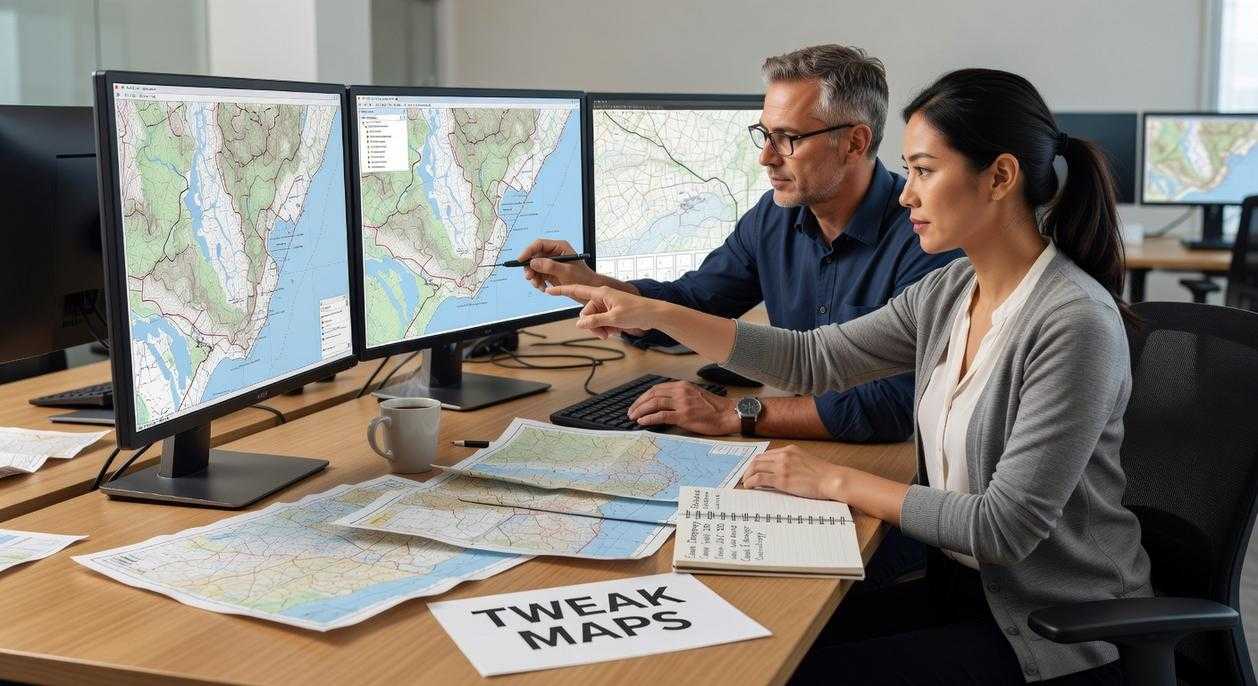
Most mapping tools give you the basics and call it a day.
But if you’re serious about planning trips or organizing location data, you need more than just pins on a screen.
I’m going to be honest with you. I’ve tested dozens of mapping platforms and most of them are built for casual users who just want to mark a few spots. Nothing wrong with that. But if you want real control over your geographic data, you need features that actually matter. For those serious about harnessing the power of geographic data, the best mapping platforms can be found right on their Homepage, showcasing features that truly cater to advanced users rather than just casual map makers. For gamers seeking to elevate their experience with intricate geographic data management, the of advanced mapping platforms often serves as a vital gateway to features that truly empower users.
Data Layers: The Foundation of Customization
Here’s where things get interesting.
Separate layers let you organize different categories without turning your map into a mess. Think of it like this: one layer for restaurants, another for museums, another for hiking trails.
You toggle them on and off as needed.
I use this constantly when I’m planning trips. Day one? I turn on my food layer and the historical sites layer. Day two? Outdoor activities only. It keeps me focused instead of staring at 50 pins wondering what’s what.
The people who skip this feature end up with cluttered maps they can’t read. Then they wonder why planning feels overwhelming.
Custom Icons & Symbology: Visual Shorthand for Your Data
This is where ttweakmaps really shines.
Color coding and custom icons aren’t just pretty. They’re functional. I color code my pins by priority: red for must-see spots, yellow for maybe, green for backup options.
Some folks use different icons for different types of locations. A fork for restaurants, a camera for photo spots, a tent for campsites.
Your brain processes visual information faster than text. When you can glance at a map and instantly know what you’re looking at, you save time and make better decisions.
Data Import and Integration: The Ultimate Power-Up
This is where casual mapping tools fall apart.
Being able to import data from other sources changes everything. You can pull in a CSV file of restaurant recommendations from a food blog. Import a KML file of a scenic drive someone else mapped out. Load a GPX file from your hiking app to see the exact trail you’re planning to tackle.
I’ve imported entire itineraries this way. Someone shares their route as a file and boom, it’s on my map in seconds.
Without this feature, you’re stuck manually entering every single point. That’s fine for five locations. But try doing that for a two-week trip across multiple cities and you’ll lose your mind.
A Practical Guide: Mapping Your Next Adventure Step-by-Step
You’ve got two choices when planning your next trip.
You can wing it with a screenshot of Google Maps and hope you remember where that restaurant was. Or you can build a real map that actually helps you make decisions.
Most people go with option one. They bookmark a few places and figure they’ll sort it out when they get there.
I used to do the same thing. Then I’d waste half my vacation backtracking or realizing I walked past three places I wanted to see without knowing it.
Here’s how I do it now.
Step 1: Choose Your Canvas
Pick your base map first. If you’re hiking in the Rockies, you want terrain. Exploring Tokyo’s neighborhoods? Satellite view shows you the actual density and layout. Planning a road trip? Go minimalist so your pins don’t get lost in the clutter.
The background matters more than you think.
Step 2: Plot Your Anchors
Start with what can’t move. Your hotel. The airport. Your top three must-see spots.
These are your fixed points. Everything else will flex around them.
Step 3: Build Your Thematic Layers
This is where ttweakmaps really changes the game. Create separate layers for different categories.
Put every restaurant you’re considering in a Food layer. Every museum in a Culture layer. Use custom icons so you can tell them apart at a glance.
Now here’s the difference between doing this and just dropping random pins. With layers, you can toggle things on and off. Want to see only coffee shops on Tuesday morning? Done. Need to find parks near your Wednesday route? Two clicks.
Step 4: Visualize Your Itinerary
Draw lines between your points. Use the route tools to map out each day’s walking path.
Color code them. Monday is blue. Tuesday is green. You get the idea.
Suddenly you can see if you’re planning to walk six miles uphill after a long flight (you probably don’t want to do that).
Step 5: Analyze and Refine
Turn layers on and off. Look for patterns you missed.
Notice four restaurants you wanted to try are all clustered near Tuesday’s route? Perfect. Adjust your dinner plan. See that Friday has you zigzagging across town? Move one stop to Thursday when you’re already in that area. To optimize your gaming experience and streamline your in-game travels, consider utilizing the Map Guides Ttweakmaps From Traveltweaks, which can help you efficiently plan your route around those clustered restaurants and avoid unnecessary zigzags across town. To optimize your gaming experience and streamline your in-game travels, consider utilizing the comprehensive insights offered by Map Guides Ttweakmaps From Traveltweaks, which can help you navigate efficiently between your target destinations.
This is the part most people skip. They make the map and call it done.
But the real value comes from using it to spot problems before you’re standing on a street corner trying to figure out why your feet hurt.
Your Map, Your Story
I built ttweakmaps because I was tired of the chaos.
You know the feeling. Fifteen browser tabs open. A notes app full of addresses. A generic map that shows you nothing about what you actually care about.
There’s a better way to plan your trips.
Custom mapping tools let you layer your own data and build something that works for you. Not just pins on a screen but a real system that shows you patterns and possibilities.
You came here to learn how to turn geographic data into better travel plans. Now you have that knowledge.
The difference between a good trip and a great one often comes down to how well you understand your route. When you can see everything at once and analyze what matters, you make smarter choices.
Here’s what I want you to do: Pick your next weekend getaway and map it out using these techniques. Layer your hotels, restaurants, and activities. See how the geography shapes your itinerary.
You’ll feel the difference immediately. More control. Less stress. A plan that actually reflects what you want to experience.
Stop juggling apps that weren’t built for serious travelers. Start creating maps that tell your story. Map Ttweakmaps. Map Guide Ttweakmaps From Traveltweaks.

 Ask Norvain Quenthos how they got into travel tips and hacks and you'll probably get a longer answer than you expected. The short version: Norvain started doing it, got genuinely hooked, and at some point realized they had accumulated enough hard-won knowledge that it would be a waste not to share it. So they started writing.
What makes Norvain worth reading is that they skips the obvious stuff. Nobody needs another surface-level take on Travel Tips and Hacks, Adventure and Outdoor Activities, Travel Planning Resources. What readers actually want is the nuance — the part that only becomes clear after you've made a few mistakes and figured out why. That's the territory Norvain operates in. The writing is direct, occasionally blunt, and always built around what's actually true rather than what sounds good in an article. They has little patience for filler, which means they's pieces tend to be denser with real information than the average post on the same subject.
Norvain doesn't write to impress anyone. They writes because they has things to say that they genuinely thinks people should hear. That motivation — basic as it sounds — produces something noticeably different from content written for clicks or word count. Readers pick up on it. The comments on Norvain's work tend to reflect that.
Ask Norvain Quenthos how they got into travel tips and hacks and you'll probably get a longer answer than you expected. The short version: Norvain started doing it, got genuinely hooked, and at some point realized they had accumulated enough hard-won knowledge that it would be a waste not to share it. So they started writing.
What makes Norvain worth reading is that they skips the obvious stuff. Nobody needs another surface-level take on Travel Tips and Hacks, Adventure and Outdoor Activities, Travel Planning Resources. What readers actually want is the nuance — the part that only becomes clear after you've made a few mistakes and figured out why. That's the territory Norvain operates in. The writing is direct, occasionally blunt, and always built around what's actually true rather than what sounds good in an article. They has little patience for filler, which means they's pieces tend to be denser with real information than the average post on the same subject.
Norvain doesn't write to impress anyone. They writes because they has things to say that they genuinely thinks people should hear. That motivation — basic as it sounds — produces something noticeably different from content written for clicks or word count. Readers pick up on it. The comments on Norvain's work tend to reflect that.